






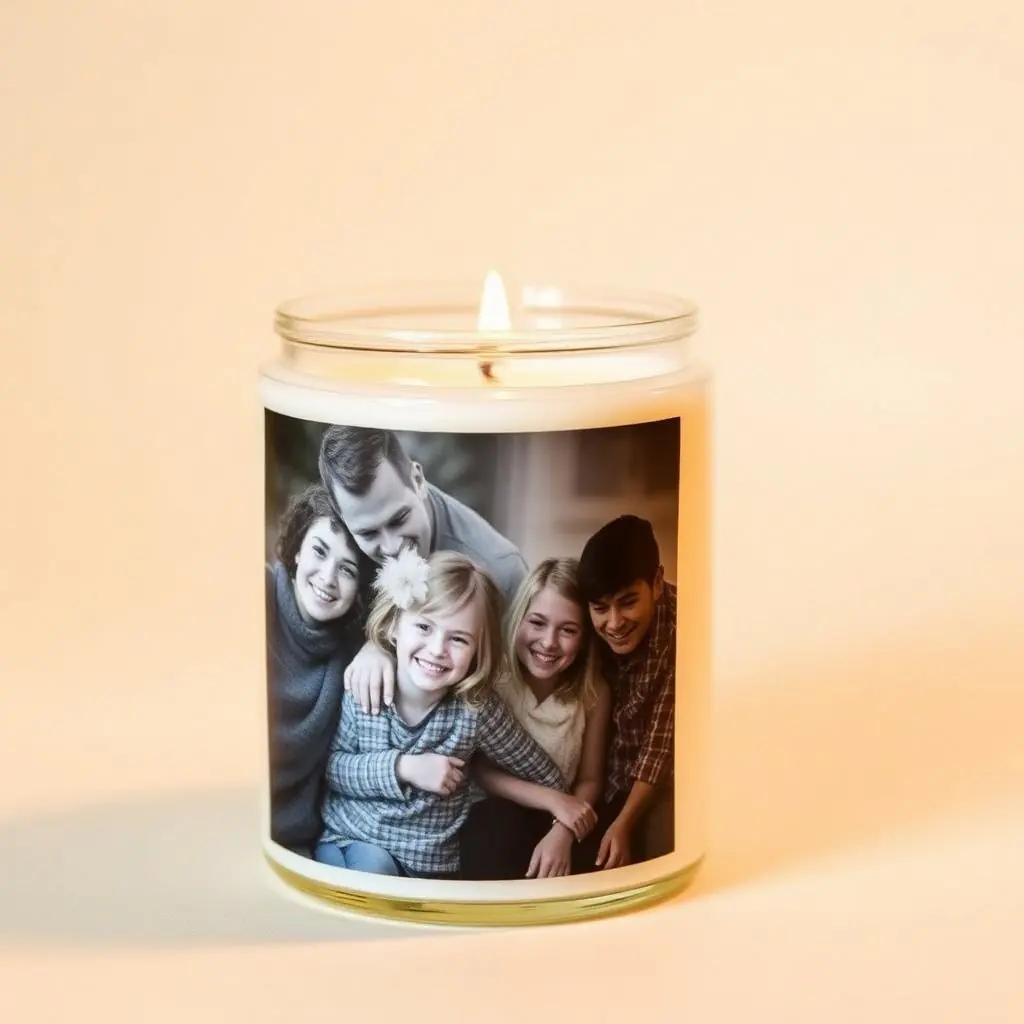
Design Proof Approval: What to Check Before You Say Yes

A design proof is a preview of your custom item, shown before anything is made, and your approval is the go-ahead to produce exactly what the proof shows. Approve it carefully and the finished piece matches what you pictured. Approve it in a hurry and a misspelled name or a clipped photo gets made just as it appears. On a custom candle, where the label carries a photo, a name or a date, that review matters more than almost any other step. We hand-proof every personalized candle for print and presentation quality before it ships, and this guide shows you how to run your own review so nothing slips through.
TL;DR
- A proof is a preview of the design, text, size and placement. Once approved, that version becomes the instruction for production.
- Read names, dates and spelling first. These are the errors that cannot be fixed after the item is made.
- Treat screen color as a guide. A monitor and a printed label never look identical.
- Give feedback in one message, with specific changes, from one decision-maker.
- Record your approval in writing and name the exact version you approved.
Table of Contents
- What a design proof actually is
- Why this step carries so much weight
- How to review a proof, step by step
- How to ask for changes without losing time
- A quick checklist by reader
- Perspective
- Where a custom candle fits the process
- What approval does and does not cover
- Common mistakes to avoid
- FAQ
- Sources
What a design proof actually is
In design and printing, a proof is a draft shown to the customer for review and sign-off before final production. For a custom product, it shows the design, the text, the size, the colors and where everything sits. The version you approve becomes the working instruction for the people making it.
Proofs come in a few forms, and knowing which one you are looking at tells you what you can safely judge from it:
| Proof type | What it is | What you can judge |
|---|---|---|
| Digital proof | An image or PDF on screen | Spelling, layout, size, placement |
| Hard (print) proof | A physical print made before the full run | Color and finish on real material |
| Design mockup | Your design shown on the product | The overall look and proportions |
| Pre-production sample | One finished item before the rest of an order | Everything, including how it feels |
These categories follow UpProof’s breakdown of proof types. The practical point is that approving one kind of proof does not approve the others. A screen preview can confirm that your wording is right and your photo is in the correct spot. It cannot promise that a color will look identical on wax, glass or paper.
Why this step carries so much weight
The manufacturer produces what the proof shows. As one print shop’s guide puts it plainly, a spelling mistake on the proof will be in the finished product. That is not a flaw in the process. It is the process: the proof exists so that the person who knows the right spelling, date or face is the one who catches the problem.
In professional printing, approval also has consequences. Trade custom holds that a printer is generally not liable for errors that the buyer approved on a proof, and changes requested after approval are treated as new work charged at current rates, as summarized in this proof approval guide. Most gift buyers never read a contract line like that, but the logic is the same everywhere: a signed-off proof is a decision, not a formality.
Custom gifts raise the stakes in a particular way. A misspelled name on an engraved or printed gift cannot be fixed after the fact, so a minute spent checking is cheaper than remaking the order. A candle for a wedding table, an anniversary or a memorial is often tied to a date that does not move. There is no second chance to reorder in time.
How to review a proof, step by step
Here is the routine we would hand a friend. It works for a candle label, a wedding favor tag or any personalized print.
1. Read the details that cannot be undone
Start with the hardest-to-fix items: names, dates, times, addresses and any contact details. A printing company’s proofing guide lists names, dates, spelling, punctuation and capitalization, image crop and placement, and QR codes or URLs as the details to confirm before approving.
For a candle, that translates to:
- Every name, including how it is spelled and capitalized. “Mackenzie” and “McKenzie” are both correct, for different people.
- Dates, in the format you want. Is it 06/07 or June 7? In the US a number date can be read two ways by a guest from abroad.
- Any quote or message, word for word, including punctuation and line breaks.
- The scent name, if it is printed on the label.
Read each item aloud, slowly. Then read it backward, word by word, to catch letter swaps your eye autocorrects.
2. Look at the image like a stranger would
Photos are where most visual problems hide. Check whether anyone’s head or hands are cropped at the edge, whether the face you care about is large enough to read at the size of the label, and whether the photo looks sharp or soft. A picture that looks fine on a phone can look grainy when enlarged to fit a jar.
If you chose the image because of one person or one moment, make sure that is what draws the eye on the proof. Our photo candles are printed from the picture you provide, so the clearest, highest-resolution version you have gives the proof the best start.
3. Check size and placement
Confirm that text sits comfortably inside the label with room at the edges, and that nothing is crowded against a fold or trim line. Packaging guidelines advise keeping logos and text inside the safe area and extending artwork past trim lines, because small shifts during cutting and wrapping are normal. If a name looks tight against the edge on the proof, say so.
4. Treat color as directional
A screen emits light. A printed label reflects it. Display calibration, room lighting and how a PDF renders all change what you see, and packaging specialists warn against approving physical color from an ordinary monitor. Ink type and cure also change how a finish looks and feels, as this comparison of ink systems on finished apparel shows.
So approve the proof for what it can prove: wording, layout, size and placement. Expect the printed color to land close to the screen, not identical to it. If a color match is critical, such as a bride’s exact palette, say so when you order, and choose a design where small shifts will not spoil the effect.
5. Get a second pair of eyes
You wrote the text, so you will read what you meant, not what is there. Take a break, then look again with fresh eyes. A designer’s review guide suggests viewing the proof full screen and asking a second or third person to look. Choose someone who did not write the text, ideally someone who knows how the names are spelled.
6. Approve the exact version, in writing
When everything is right, confirm in writing and name the version. A proof sign-off template recommends recording the exact file and version, the date, and who approved it, and notes that an emailed reply naming the version from an authorized person is often stronger evidence than an unattributed signature. For a gift order, a one-line reply does the job: “Approved: version 2, dated today, names and date checked.”
How to ask for changes without losing time
If something is off, a clear request gets the fix in one round instead of three.
Send one message. If several people have opinions, collect them first. Government design guidance advises that feedback come from the right people, in one agreed format, with one point of contact, so notes are not missed. For a wedding, that means the couple or planner decides, not the whole bridal party.
Describe the problem, not the fix. Say “the date is too small to read from a table” rather than “make it 18 point.” A design-feedback guide notes that the most common mistake non-designers make is prescribing solutions rather than naming problems.
Be specific and give reasons. “The second line should read Anna and James, not Anne and James” leaves nothing to interpret. A structure that works: restate the goal, say what is working, list the specific changes with the reason for each, and confirm next steps, as ManyPixels recommends.
Check the revised proof. Do not assume a requested change was made. Confirm it on the new version, and review the whole proof again, because fixing one line can move another. Proof-review guidance advises confirming the new proof rather than assuming an instruction was implemented.

A quick checklist by reader
Different buyers worry about different things. Use the list that matches your order.
Gift-givers
- Recipient’s name and any nickname, spelled the way they spell it.
- The photo: is the right person prominent and the image sharp?
- The message: does it read the way you would say it?
Wedding planners
- Both names, the date and the venue or hashtag, exactly as on the invitation.
- Consistency across every favor in the order, since one approved layout is repeated across all of them.
- Palette: confirm you are comfortable with small color variation from screen to print.
Pet owners
- Pet’s name and breed details in the text.
- The fragrance or essential-oil content, which you can check for your household. Our pet-safe candles are made with phthalate-free fragrances and lead-free wicks, and pet owners can verify the essential oil content.
Home decor shoppers and craft lovers
- Label size against the container, and whether the design suits the room.
- Placement of any quote or artwork so it reads straight when the candle sits on a shelf.
Perspective
Most advice on proofs is written for studios and agencies, and it is good advice: name the version, write down what you checked, keep the feedback in one place. But when the product is a candle that someone will light on an anniversary, the proof is personal. There is a face on that label, or a name, or a sentence that took you an hour to write.
That is why we hand-proof every order for print and presentation quality before it goes out. Our soy candles are poured by hand and our labels carry your photos and words, so the label has to look right, not just be technically printed. Paired with phthalate-free fragrances, lead-free wicks, keepsake packaging and a handwritten gift card as standard, the aim is that what arrives feels finished. Personalized orders ship within two days.
Our advice to every customer is the same as in this guide: read the names twice, look at the crop, and treat the screen as a close guide for color. Do that and the candle in your hands will be the one you imagined.
Jake
Where a custom candle fits the process
With a personalized candle, the proof stage is where you shape the design. You choose the content, and a careful review turns it into something you will be proud to give.
If you are starting from a photo, our customizable photo candles page is the place to begin. For names and messages, the personalized candles range puts your wording on a soy candle. If you want to choose wax, scent, label and packaging in one go, use Customize a Candle.
For events, favors start from $18 per candle and corporate and client gifting from $22 per candle. Boxed gift sets start from $48. All three are on our gifting page, and wedding designs are collected under wedding candles.
Ready to put a photo or a few words on a hand-poured soy candle? Start on our Custom Candle Co home page and pick the style that fits your gift.
What approval does and does not cover
It helps to be clear about what your “yes” means, so you are never surprised.
It covers the content you checked: the text, dates, names, image and placement as shown. Production timing usually starts only after approval, not while a proof is under review or revisions are pending, as one proofing guide explains. So the sooner you review, the sooner your order moves.
It does not automatically cover things a screen cannot show: exact color on the finished surface, or the feel of the material. Approving the wording and layout is a separate decision from judging color.

Changes after approval are a new request, not a correction. If you realize a day later that a date is wrong, tell the team immediately. The earlier you speak up, the more options you have, but you should expect a change at that stage to be handled as a new piece of work.
Common mistakes to avoid
- Approving on a phone while distracted. Open the proof on the largest screen you have and give it a few quiet minutes.
- Checking only what you changed. After a revision, review the whole label again.
- Assuming someone else proofread. The person ordering is the final proofreader of names and dates.
- Sending notes in pieces. Three emails from three people create missed changes. Send one.
- Using vague language. “Make it prettier” cannot be acted on. “Make the name larger and move the date below it” can.
- Ignoring a revision loop. If the same feedback has been given more than twice without the design landing, the usual cause is an unclear brief or contradictory input. Step back, agree what you want, then write one clear note.
FAQ
What does a design proof show?
It shows the design as it will be produced: the text, images, colors, size and where each element sits. You review it and approve it or ask for changes. Once approved, that version is the one that gets made.
How long should I take to review a proof?
Take as long as it needs, and no longer than your event allows. Because production generally begins only after approval, a quick but careful review keeps your order moving. Ten focused minutes, plus a second reader, covers most proofs.
Can I request changes after I approve?
Tell the team as soon as you spot the problem. In printing, changes after approval are typically treated as new work, so catching errors before you say yes is the best protection. Reading names and dates aloud before approving is the simplest way to do that.
Will the printed color match my screen exactly?
Not exactly. Screens emit light and printed labels reflect it, and calibration and room lighting also change what you see. Approve the proof for wording, layout and placement, and expect the printed color to be close rather than identical.
How should I record my approval?
Reply in writing and name the version and date you approved. A short email naming the version is clear evidence of exactly what you signed off on, and it keeps everyone working from the same file.
Sources
- What is a proof? Print, digital and design proofs (UpProof)
- What Is A Design Proof (Sticker it)
- Sign Proof Approval: What to Show and How to Get Sign-Off
- Proofing & Approval Process (Printiverse)
- Design to Production Guidelines (The Pack America Corp.)
- Digital Proof vs Printed Sample vs Production Sample (PouchesPack)
- Plastisol vs Water Based for Finished Apparel
- How To Check A Design Proof And Give Final Approval
- Design Sign-Off Sheet & Approval Form Template (Proofavo)
- Giving good feedback: 7 ways to get the most from your designer (UK Government Design102)
- How to Give Design Feedback (ManyPixels)